
Christmas Card Printing for Businesses, 2026
Christmas card printing for business: card sizes, stock, photo and logo layouts, how many to order, and the 2026 Canada Post dates to mail your cards in time.
- What we print
- Flat holiday cards on 14pt coated card, the stock every postcard we print uses. No folded greeting cards and no envelopes: mail them as postcards or in envelopes you supply.
- Sizes
- 4″ × 6″, 5″ × 7″, 5.5″ × 8.5″, 6″ × 9″ and 6″ × 11″, printed on the front only or on both sides.
- Quantities
- From 25 cards per order online, in any quantity you type, into the tens of thousands. Larger runs for big client lists or several offices are quoted through the free quote form, by phone at 613-666-YAYA (613-666-9292) or by email at order@yayaprints.ca.
- Canada Post card dates, 2026
- Send cards within Canada by December 22 (local), December 21 (regional) and December 18 (national), and to the U.S.A. by December 11, per Canada Post's 2026 holiday sending guidelines. The dates are between major urban centres and depend on origin and destination.
- Print turnaround
- 5–7 business days, then shipped across Canada at a price for your postal code shown at checkout, or delivered locally across Ottawa–Gatineau. Orders typically arrive 1–2 days after they leave the shop, and the studio shows the estimated ship date before you pay.
- Holiday closures
- Canada Post has no collection or delivery on Christmas Day (Friday, December 25, 2026) or Boxing Day, observed Monday, December 28, 2026.
What kind of Christmas card should a business send?
Most businesses send one of four cards: a logo card, a team photo card, a client thank-you, or a New Year card when December is too tight. Tap a card type to jump to it.
Quick picks: who is the card for?
Every client on a long list
Clients who know your team
Your top accounts
Staff
Clients outside Canada
Ordering in mid-December
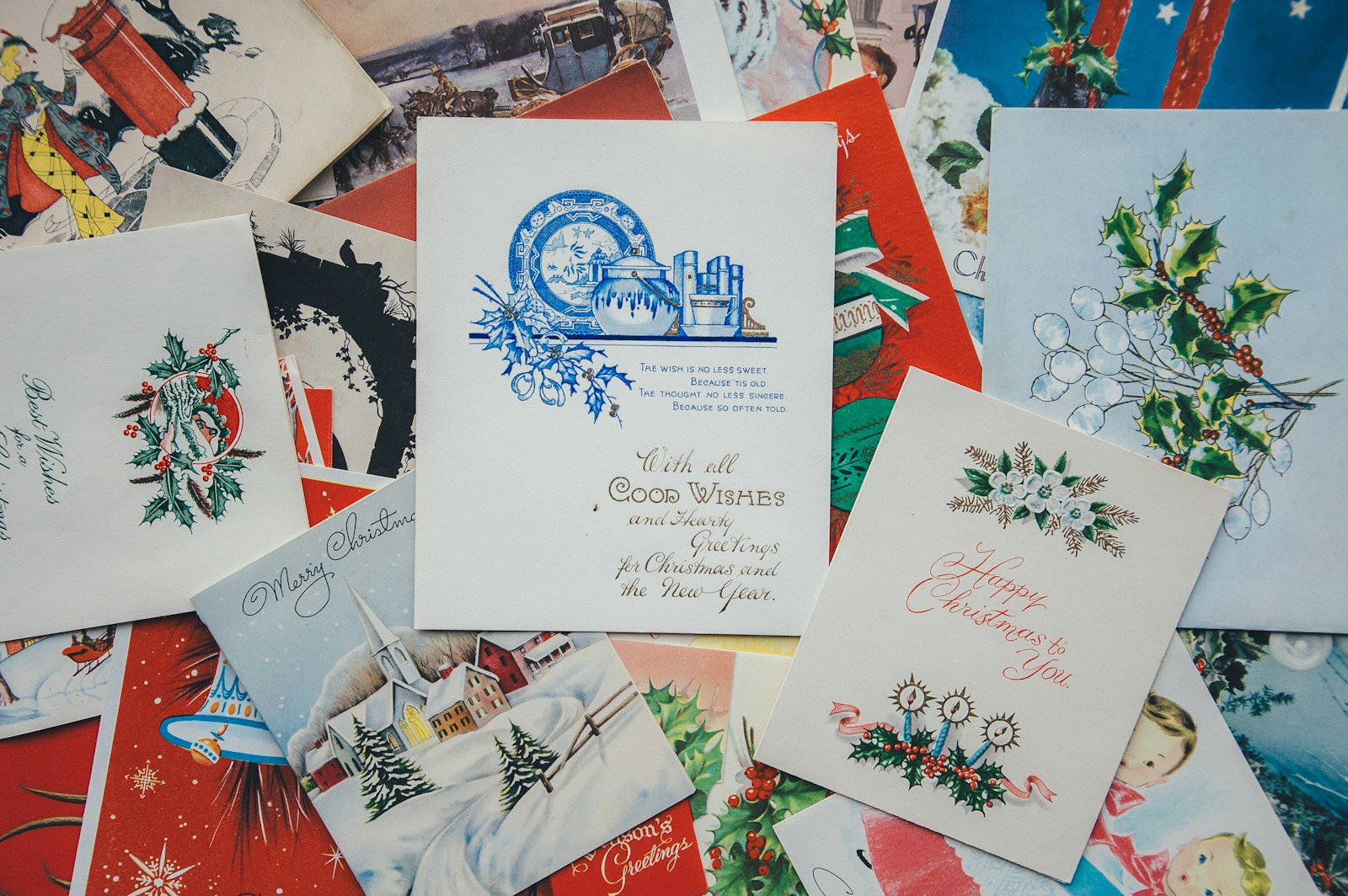
Logo card: season's greetings from the company
4″ × 6″ or 5″ × 7″ · logo, one greeting, room to sign
The simplest business Christmas card is the one most companies send: your logo, a winter colour or illustration, and one line. “Season’s Greetings” or “Happy Holidays” works for clients of every tradition, and in Ottawa–Gatineau “Joyeuses fêtes” on the same card covers both languages.
Print the greeting on the front and leave most of the back white, so each card can carry a short handwritten line and a signature.
Team photo card: the people behind the business
5″ × 7″ or 6″ × 9″ · one group photo · names or a short note on the back
A photo of the team is the card clients actually look at, because it shows the people they talk to all year. Photo Christmas cards need a sharp original: at least 300 dpi at the finished size, which for a 5″ × 7″ card with bleed is about 1,575 × 2,175 pixels.
A recent phone photo taken in good light is usually enough. A picture cropped out of a group shot on a website usually is not.
Client thank-you card: the year in one line
5″ × 7″ or 5.5″ × 8.5″ · thank-you on the front · a handwritten note on the back
For your most important clients, the card is a thank-you rather than a greeting: “Thank you for a great year” on the front, and a few handwritten lines on the back from the person who looks after the account.
The 5.5″ × 8.5″ size, half a sheet of letter paper, leaves the most room for that note. Send these first; they matter most.
Happy New Year card: when December is too tight
Any of the five sizes · mailed after the holidays · no Christmas deadline
If the Christmas dates have passed, or your list includes clients abroad, send a New Year card instead. It only has to arrive in the first weeks of January, so it can be printed in December and mailed after Boxing Day.
The artwork rules are the same as for a Christmas card; only the greeting and the mailing date change.
Which size and stock for a business Christmas card?
5″ × 7″ is the classic choice, 4″ × 6″ is the economical one for a long list, and the larger sizes suit photo cards. Every card prints on the same 14pt coated card, a stiff, coated stock that holds bright colour and stays flat in the mail.
They are flat cards, with no fold. That is the honest limit of what we print: send them as postcards, with the address and stamp on the back, or slip them into envelopes you supply. If you use envelopes, buy them made for the card’s size, a little larger than the card.
| Size | What it holds | Good for |
|---|---|---|
| 4″ × 6″ | A logo and one greeting, or one photo | Long client lists mailed as postcards; the lowest price per card |
| 5″ × 7″ | The size of a classic greeting-card front | Logo cards and team photo cards |
| 5.5″ × 8.5″ | Half a letter sheet: a photo plus a real message | Client thank-you cards with a handwritten note |
| 6″ × 9″ | A large card that stands out in a pile of mail | Photo cards for clients |
| 6″ × 11″ | A wide, panoramic card | A wide team photo or winter scene; check postage before you commit |
5
Card sizes
14pt
Coated card on every size
25+
Cards per online order
5–7 days
Business days to print
Postage depends on the card’s size, weight and destination, so check the rate for your size with Canada Post before you choose one, especially for the two large sizes. Our postcard size guide compares the five sizes and how to lay out the address side.
When to order business Christmas cards in 2026
For cards going across Canada, approve the proof by about Monday, November 30. That works back from Canada Post’s national date for cards, Friday, December 18, through printing, shipping and a week to sign and address.
Canada Post’s 2026 holiday sending guidelines give these dates for cards. They are between major urban centres and depend on where the card starts and ends.
| Cards sent | Canada Post: send by | Approve your proof by about |
|---|---|---|
| Local | Tuesday, December 22 | Wednesday, December 2 |
| Regional | Monday, December 21 | Tuesday, December 1 |
| National | Friday, December 18 | Monday, November 30 |
| U.S.A. | Friday, December 11 | Monday, November 23 |
Here is the national plan, step by step:
| Step | Time to allow | For cards mailed December 18 |
|---|---|---|
| Approve the proof and pay | Reply the day the proof arrives | Monday, November 30 |
| Printing | 5–7 business days | December 1 to 9 |
| Shipping or local delivery | Typically 1–2 days after the cards leave the shop | December 9 to 11 |
| Sign, address and stamp | About a week for a long list | December 11 to 17 |
| Canada Post’s national date for cards | Friday, December 18 |
Treat this as a plan, not a promise. The studio shows the estimated ship date before you pay, so check it against your mailing date, and earlier is always safer. Canada Post also has no collection or delivery on Christmas Day, Friday, December 25, or Boxing Day, observed Monday, December 28. For U.S. clients the card date is a week earlier, so if November 23 has passed, send them a New Year card.
How to design a business Christmas card that prints well
Set the artwork at the card’s final size with bleed, keep words inside the safe area, use photos of at least 300 dpi, and leave white space where people will sign.
- Bleed. Extend any colour or photo that touches the edge 0.125″ (3 mm) past the trim on every side, so no white line shows after cutting. Our guide to print bleed shows how.
- Safe area. Keep the greeting, logo and names at least 0.125″ inside the trim line.
- Photo resolution. 300 dpi at the finished size. A 4″ × 6″ photo card with bleed needs about 1,275 × 1,875 pixels; a 5″ × 7″ needs about 1,575 × 2,175.
- White space to sign. Leave a light area on the back for a short handwritten line and a signature. Ink shows best on white or a pale colour.
- The address side. If you mail the cards as postcards, keep the right-hand part of the back clear for the address and stamp, with no background colour behind it, and confirm the clear zone with Canada Post.
- Words for everyone. “Season’s Greetings”, “Happy Holidays” or “Best wishes for the new year” suit clients of every tradition; add French for Ottawa–Gatineau.
You see a proof before you pay, and a human designer checks every file for resolution, bleed and anything too close to the edge, then fixes it or tells you. Nothing prints until you approve it. For the full file checklist, see how to prepare print-ready artwork.
How many Christmas cards should a business order?
Add up clients, staff and partners, then add about 10% for spares. The spares cover cards spoiled while signing, names added late and a few for the office.
For example, 240 clients, 35 staff and 25 suppliers make 300 cards; with 10% spare, order 330. The studio takes the exact number you type, from 25 up, so there is no need to round up to the next preset run, and the price per card falls as the quantity rises.
If you are sending two designs, such as a team photo card to clients and a logo card to suppliers, count each list separately and order each design on its own.
Signing, addressing and mailing business Christmas cards
Split the list by who signs, print the address labels from your client list, and mail in batches as each signer finishes rather than all at once on the last day.
Signing. Give each account owner a stack of cards and their own list. Some pens smear on coated card, so test the pen your team will use on a spare card from the run before anyone signs a few hundred.

Addressing and postage. Address labels save hours on a long list. Check postage for your card size and each destination with Canada Post before the stamps go on.
Several offices. We ship across Canada, priced for each postal code at checkout, so each office can receive its own cards to sign and mail locally. If one office signs everything and sends boxes of cards to the others, Canada Post’s 2026 Regular Parcel dates are December 10 nationally, December 16 regionally and December 21 locally, which is earlier than the card dates.

Too late for Christmas? Send a New Year card
Yes, you can still send a card after the Christmas dates pass: make it a Happy New Year card. It does not have a Christmas deadline, only an early-January one.
Order it in December, approve the proof, and mail it after Boxing Day. Canada Post is also closed on New Year’s Day, Friday, January 1, 2027, so plan the mailing for the days around it. A New Year card suits clients outside Canada too, whose card dates come earlier than the domestic ones.
Christmas cards for big client lists and multi-office companies
Big runs are our focus. The postcard studio takes runs into the tens of thousands; for a very large run, or for several designs, languages or office versions at once, send the counts, the sizes and your mailing date through the free quote form, phone 613-666-YAYA (613-666-9292) or email order@yayaprints.ca. A quoted run gets the same proof and human designer check as a run of 25.
We work in English and French, deliver locally across Ottawa–Gatineau and ship across Canada. If the cards are part of a wider year-end plan, our guide to corporate holiday gifts in Canada covers the gifts that go with them.
Frequently asked questions
When should I mail Christmas cards in Canada in 2026?
Canada Post's 2026 holiday sending guidelines say to send cards by December 18 for national delivery, December 21 for regional and December 22 for local, and by December 11 to the U.S.A. The dates are between major urban centres. Canada Post has no collection or delivery on December 25 or on Boxing Day, observed December 28.
Do you print folded Christmas cards with envelopes?
No. YAYA Prints prints flat holiday cards on 14pt coated card, with no fold and no envelopes. Mail them as postcards, with the address and stamp on the back, or put them in envelopes you supply, sized a little larger than the card.
What size should a business Christmas card be?
5″ × 7″ is the classic size for logo and team photo cards; 4″ × 6″ is the economical choice for a long client list mailed as postcards; 5.5″ × 8.5″ leaves room for a handwritten note; 6″ × 9″ and 6″ × 11″ suit large photo cards. Check postage for your size with Canada Post.
How many business Christmas cards should I order?
Add up clients, staff and partners, then add about 10% for spoiled cards, late additions and office copies. For 300 names, order about 330. YAYA Prints' postcard studio takes any quantity you type from 25 up, and very large runs are quoted directly.
Can you print photo Christmas cards for my team?
Yes. Team photo cards print in any of the five sizes, one or both sides, on 14pt coated card. Use a photo of at least 300 dpi at the finished size: about 1,575 × 2,175 pixels for a 5″ × 7″ card with bleed. A human designer checks the file before anything prints.
What if I miss the Christmas mailing date?
Send a Happy New Year card. It has no Christmas deadline, so it can be printed in December and mailed after Boxing Day (observed December 28, 2026), avoiding New Year's Day, January 1, 2027, when Canada Post is closed. It also suits clients outside Canada, whose card dates come earlier.
Set it up yourself. A human designer still checks every order.
Our print studio gives you the price and a proof in the browser. What it doesn't do is print your file blindly — every order is reviewed by a real designer before it reaches the press.
- Step 1You set it up — free
Pick the product, size and quantity in the print studio, then upload your file or start from a ready-made design. The price shows before you pay, with no account and no deposit.
- Step 2A human designer checks it
Before anything prints, one of our designers opens your file and checks resolution, colours, sizing and placement. If it won't print well, we fix it or tell you exactly what's wrong — a person, not an automated preflight.
- Step 3You approve, then we print
You see the proof before you pay. Nothing goes to press until you say yes — then it's printed in 5–7 business days and shipped, with shipping priced for your postal code at checkout.
Print your business holiday cards
Pick a size, upload the logo or team photo, and approve the proof. Flat holiday cards on 14pt coated card print in 5–7 business days; from 25 online, and very large runs are quoted directly.
Every order is reviewed by a human designer before it goes to press. A person checks artwork resolution, colour, sizing and placement, and either fixes the file or tells the customer what is wrong — it is not an automated preflight.